WhatsApp Automation for Indian Small Businesses
When the free WhatsApp Business app is enough, when you need the API, and the five automations I build first for Indian small businesses.
On this page
WhatsApp automation for an Indian small business means using the WhatsApp Business app or the WhatsApp Business Platform to reply to first messages instantly, collect enquiry details, book appointments and send reminders, while a real person handles anything that needs judgement. Start with the free app’s quick replies and away messages. Move to the Business Platform through a CRM only when your volume, your team size or your need for tracking outgrows the app.
I work out of Lucknow, and in my experience customers here rarely fill in a contact form and wait. They message you on WhatsApp, and they expect an answer in minutes. Most small businesses I talk to are losing enquiries in that gap, not because the product is weak but because nobody was holding the phone at 9 pm.
Key takeaways
- The WhatsApp Business app is enough for many shops and service firms. The Business Platform (API) is for teams that need a CRM, several agents and reporting.
- Automate the first reply, the details collection and the reminders. Keep pricing talks and complaints with a person.
- Every automation needs an opt in, a stop word and a clear handoff to a human.
- Connect WhatsApp to a CRM so a message becomes a tracked lead instead of a chat that scrolls away.
- Test every flow as a customer before it goes live, including the awkward replies.
What does WhatsApp automation actually mean?
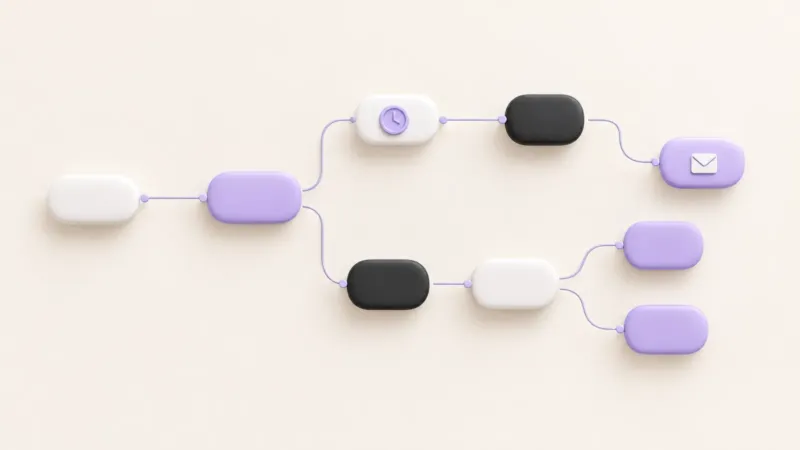
It is a set of small rules that fire when a message arrives or when something changes in your business. A customer sends “hi”, and a greeting goes out with three buttons. A booking is confirmed, and a reminder is queued for the evening before. An invoice goes unpaid for a week, and a polite nudge is sent.
None of this needs artificial intelligence to be useful. Plain rules cover most of the value. AI becomes helpful in one narrow place: reading a messy free text enquiry, such as “need 200 brochures by Friday, Gomti Nagar”, and pulling out the product, quantity, deadline and area so your team does not have to ask four follow up questions.
WhatsApp Business app or Business Platform: which one do you need?
This is the first decision, and the wrong choice wastes money in both directions. Here is how I compare them for clients.
| Question | WhatsApp Business app | WhatsApp Business Platform (API) |
|---|---|---|
| Who it suits | Owner run shops, clinics, tutors, small service firms | Teams with several agents and a CRM |
| Automation available | Greeting, away message, quick replies, labels | Full workflows, chatbots, AI steps, integrations |
| Multiple staff on one number | Limited | Yes, through a connected inbox |
| Tracking and reporting | Manual | Tied to CRM records and pipelines |
| Setup effort | An afternoon | Days to weeks, depending on approvals |
If you get thirty messages a day and you reply to all of them yourself, use the app and set it up properly. If you get hundreds, if three people share the inbox, or if you run ads that send people to WhatsApp, you need the platform. Meta documents the platform in the WhatsApp Business Platform developer docs, which is worth a skim before you commit.
The five automations worth building first
I build these in this order, because each one protects revenue you already earned.
- Instant first reply. A greeting that confirms you received the message, states your hours and asks one useful question. Speed here matters more than wording. I cover the thinking in how I build a speed to lead system.
- Details collection. Three or four short questions: what do you need, where, and by when. Answers land on the contact record, so your team starts the real conversation with context.
- Booking and reminders. A calendar link inside the chat, a confirmation, and a reminder before the appointment. This is the cheapest way I know to cut no shows.
- Quote follow up. If a quote goes out and nothing comes back, two spaced nudges and then a task for a person. Never an endless drip.
- Payment and review requests. A friendly payment reminder with your payment link, and after the job, a request for a Google review.
Notice what is missing: price negotiation, complaints, anything emotional. Those stay with a human, always.
The rules that keep your number safe
WhatsApp is stricter than SMS, and for good reason. People treat it as a personal space. Break the rules and your messages get reported, your quality rating drops and your number can be limited.
Get an opt in before you send business initiated messages
If a customer messages you first, you can reply freely within the service window. If you want to message someone who has not contacted you recently, they must have agreed to hear from you, and on the platform you must use an approved template message. Collect consent on your website form, at checkout or at the counter, and write it down.
Respect the reply window
On the platform, free form replies are allowed for a limited window after the customer’s last message. Outside that window, only approved templates go through. Plan your reminders and follow ups around this, and check the current rules in the official documentation, because Meta changes them from time to time.
Always offer a way out and a way to a human
Every automated sequence should honour “stop” and should hand over to a person when the customer types something the flow does not expect. Nothing damages trust faster than a bot that loops while the customer gets angrier.
Where I see WhatsApp automation go wrong
These are patterns, not statistics. I have seen each of them on real accounts.
- Nobody owns the inbox. The bot books the lead, then the message sits unread because no staff member is assigned. Name an owner and set an alert.
- Menus nobody asked for. A seven option menu on the first message feels like a phone tree. Two or three buttons is plenty.
- Broadcast abuse. Sending one promotional blast to everyone who ever bought from you gets reported, and the damage lasts months.
- No link to the CRM. Conversations live in the app, nobody can see which leads converted, and the owner cannot answer a basic question about which source brings customers.
The last one is the quiet killer. A conversation is not a lead until it sits on a record with a source, a status and an owner. That is the heart of CRM workflow automation for a leaky sales process.
How we handle WhatsApp automation at Calibre
When a client asks me for WhatsApp automation, I start with a conversation, not a tool. I want to know where messages come from today (ads, Google, walk in customers, the website), who replies, how fast, and what happens to the chat afterwards.
- Map the real journey. From first message to paid invoice, written on one page with the owner.
- Choose the lightest tool that works. Often that is the Business app with good quick replies. We only move to the API when the numbers justify it.
- Connect it to a CRM. We usually build on HighLevel and add n8n workflows when something custom is needed, such as syncing orders from a store.
- Write the messages in the customer’s language. Hindi, English or a mix, in the tone your shop actually uses on the counter.
- Test as a customer. We message the number with strange replies, voice notes and wrong spellings to see what breaks.
- Review after two weeks. We read real conversations and delete steps that confuse people.
If you want this built for you, our AI automation and CRM workflow service covers the full setup. For the money side of automation in general, read how small businesses can use AI automation to cut operating costs. And if your website is the thing sending people to WhatsApp, the form and the button matter too, which I explain in what decides the cost of a website in India.
Frequently asked questions
Is WhatsApp automation allowed for small businesses in India?
Yes, when you use the official WhatsApp Business app or the WhatsApp Business Platform and follow Meta’s policies. The key rules are getting opt in from customers, using approved templates for business initiated messages on the platform, and honouring requests to stop. Unofficial tools and bulk sending from personal numbers risk bans and are not worth it.
Do I need the WhatsApp API to automate replies?
Not always. The free Business app offers greeting messages, away messages and quick replies, which is enough for many owner run businesses. You need the API when several staff share one number, when you want chatbots and CRM workflows, or when you run ads that open WhatsApp chats and want every enquiry tracked.
Can a WhatsApp bot replace my sales staff?
No, and it should not try. A bot is good at instant replies, collecting details, booking and reminders. People are better at pricing conversations, objections, complaints and building trust. The best setups let automation handle the repetitive first minutes, then pass the customer to a person with the full context already recorded.
How much does WhatsApp automation cost?
It depends on three things: whether you use the free app or the platform, how many flows you need, and how many tools they connect to. The platform also charges per conversation or message type under Meta’s pricing, which changes over time. We scope it after a discovery call and give you a clear estimate before building.
If you are losing enquiries on WhatsApp and want a plan that fits your business, book a call with me or message me directly on WhatsApp at +91 97928 48868. I will tell you honestly whether you need the app, the platform or just better quick replies.

Written by
Abhijeet Jain
Founder and CEO of Calibre Associates in Lucknow and Managing Director of 716 Lawn Care in Buffalo, New York. I build websites, local SEO, GoHighLevel CRM and AI automation for businesses in India and the USA, and I run the systems I build.