How CRM Workflow Automation Fixes a Leaky Sales Process
Where sales processes actually leak, how to design pipeline stages that work, and the trigger and action workflows I build to close each gap.
On this page
CRM workflow automation fixes a leaky sales process by making sure every lead gets an owner, a next step and a deadline without anyone remembering to do it. Workflows assign new leads instantly, send follow ups on a schedule, move deals between pipeline stages, alert the team when a deal goes quiet and record why deals are lost. The leaks it closes are the boring ones: slow first replies, follow up that stops after one try, and deals that simply get forgotten.
I learned this the hard way before I ever built a CRM. As a sales executive in Lucknow, I tracked follow ups and cold calls by memory, notebook and spreadsheet, and I know exactly how many conversations die in that gap. Later, as a senior developer at KD Marketing Group, I managed GoHighLevel workflows for client businesses. The pattern was always the same: the leads were there, the process around them was not.
Key takeaways
- Most sales leaks happen between steps, not inside them: no owner, no next action, no reminder.
- Design pipeline stages around what the buyer has done, not what your team hopes will happen.
- Every stage should have one workflow that moves it forward and one that alerts a person when it stalls.
- Record a lost reason on every closed deal and send won deals back to your ad platforms.
Where a typical sales process leaks
When I audit a sales process, I follow five recent leads from the first form fill to the final result. It takes an hour and it is more revealing than any report. The same leaks show up again and again.
- No owner. The lead arrives in a shared inbox and everyone assumes someone else replied.
- Slow first reply. The lead waits hours, sometimes days, for a first call.
- One attempt and done. A rep calls once, gets voicemail, and the lead is never touched again.
- Quotes that go cold. An estimate or proposal goes out and nobody follows up.
- Unknown outcomes. Deals are lost but nobody records why, so the same problem repeats.
None of these are effort problems. Your team is probably working hard. They are system problems, which is the theme of my piece on why local service businesses lose leads.
Design pipeline stages before you build workflows
Automation is only as good as the pipeline underneath it. If your stages are vague, such as “Interested” or “Warm”, nobody agrees on when a deal moves, and automations fire at the wrong time.
I define each stage by something the buyer has done, which can be verified. A pipeline for a service business might look like this:
- New lead: form, call or message received.
- Contacted: a real two way conversation has happened.
- Appointment booked: a site visit, demo or call is on the calendar.
- Quote sent: price is in the buyer’s hands.
- Won or Lost, with a lost reason chosen from a short list.
Keep it short. Five to seven stages is enough for most small and mid sized businesses. Extra stages mostly create extra places for deals to hide.
The workflows that close the leaks
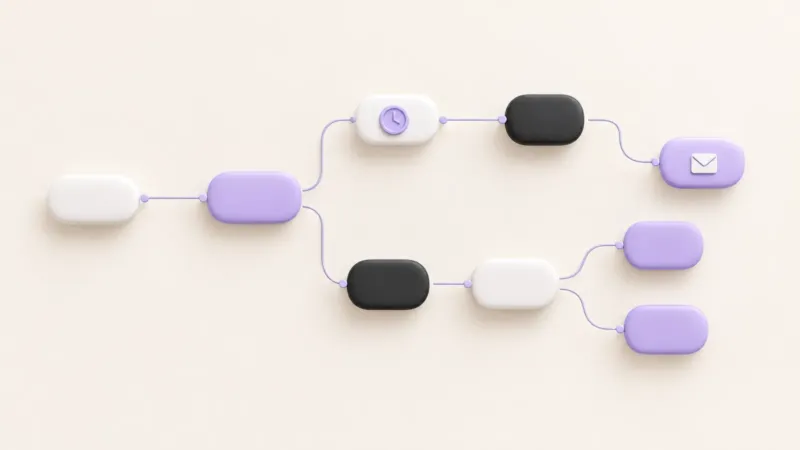
Once stages are clear, each one gets two kinds of workflow: one that moves the deal forward and one that raises a flag when it stops moving. Here are the triggers and actions I build most often.
| Trigger | Automated action | Leak it fixes |
|---|---|---|
| New lead created | Assign an owner by service or area, send instant text and email, create a call task | No owner, slow reply |
| No answer on first call | Start a short follow up sequence across call, text and email over several days | One attempt and done |
| Appointment booked | Confirmation plus reminders before the visit, move deal stage automatically | No shows |
| Quote sent | Check in messages at set intervals, task for the owner if no reply | Quotes going cold |
| Deal idle too long | Alert the owner and their manager | Forgotten deals |
| Deal marked lost | Require a lost reason, add to a later reactivation list | Unknown outcomes |
Stop sequences the moment a person replies
This one detail separates helpful automation from annoying automation. Every follow up sequence must stop as soon as the lead replies, books or calls in. Nothing loses trust faster than a “just checking in” text arriving after the customer already said yes.
Route leads by rules people can read
Round robin routing is fine for equal teams. Most real teams are not equal. Route by service type, location, language or deal size, and write the rules down where the team can see them. When routing feels unfair, people quietly work around the CRM.
Where AI helps inside the CRM
AI is useful at the edges of the sales process. It can read a free text enquiry and tag the service and urgency, summarise call notes onto the contact record, draft a follow up for a rep to approve, or score leads based on the answers they gave. In India, where many leads reply on WhatsApp in a mix of English and Hindi, a model that reads and tags those replies saves real time.
What AI should not do is decide on pricing or replace the sales conversation itself. I go further into the cost side, and where AI earns its keep, in how small businesses use AI automation to cut costs.
Close the loop with marketing data
A leak most businesses never notice is the one between sales and marketing. Ads keep optimising for form fills because nobody tells them which leads became customers.
Two fixes help. First, store the lead source (UTM values, campaign, keyword) on every contact so sales reports can show revenue by channel. Second, send won deals back to the ad platforms. Google Ads supports this through offline conversion imports, and Meta has an equivalent. Once bidding learns from closed deals instead of clicks, budget drifts toward the campaigns that actually make money. I compare the two ad platforms in Google Ads vs Meta Ads for lead generation.
How I build CRM workflow automation at Calibre
Most of our CRM builds run on HighLevel, extended with n8n workflows when a business needs custom logic or integrations the platform does not offer on its own. The process looks like this:
- Trace five real leads. We follow them end to end and mark every point where something was late, missed or unclear.
- Agree the pipeline. Stages, owners, lost reasons and the maximum time a deal may sit in each stage.
- Build the forward and alert workflows for each stage, with stop conditions on every sequence.
- Connect the inputs. Website forms, call tracking, WhatsApp, ad lead forms and calendars, so everything lands in one place.
- Train and review. A short walkthrough for the team, then a weekly pipeline review for the first month to catch anything odd.
The full scope of what we automate is on our CRM workflow automation and AI page, and you can read more about my background with GoHighLevel on my team profile. For a home service specific build, see how I set up GoHighLevel for a home service company.
A simple test of whether your CRM is working
Open your CRM right now and answer three questions. How many open deals have no next task? How many leads from last week have not had a two way conversation? What was the most common lost reason last month? If any answer is “I don’t know”, that is where to start automating.
Frequently asked questions
What is CRM workflow automation?
CRM workflow automation means setting rules inside your CRM that act on their own when something happens. A new lead can be assigned and messaged instantly, a booked appointment can trigger reminders, and a deal that goes quiet can alert its owner. It removes the manual steps between a lead arriving and a sale closing so nothing depends on memory.
How does CRM automation improve sales conversion?
It closes the gaps where deals are usually lost: slow first replies, follow up that stops after one attempt, quotes nobody chases and deals left without a next step. By making every lead get an owner, a fast reply and scheduled follow ups, more of the leads you already pay for turn into real conversations and sales.
How many pipeline stages should a sales CRM have?
Most small and mid sized businesses need five to seven stages, each defined by something the buyer has done, such as booked an appointment or received a quote. Vague stages like “warm” or “interested” cause confusion and make automation fire at the wrong time. Fewer, clearer stages give you cleaner reports and fewer forgotten deals.
Which CRM is best for workflow automation?
The best CRM is the one your team will actually use every day. I build most systems on HighLevel because it combines pipelines, calendars, SMS, email and workflows in one place, then extend it with n8n for custom logic. Larger sales teams sometimes need a different platform. Choose based on your process, not the feature list.
If your pipeline feels leaky and you want to find out where, book a free call and we will trace a few of your recent leads together. You can also message me on WhatsApp at +91 97928 48868 or connect on LinkedIn.

Written by
Abhijeet Jain
Founder and CEO of Calibre Associates in Lucknow and Managing Director of 716 Lawn Care in Buffalo, New York. I build websites, local SEO, GoHighLevel CRM and AI automation for businesses in India and the USA, and I run the systems I build.