Website vs Web App: Which One Does Your Business Need?
Websites inform, web apps let users get things done. Here is how to tell which one your business needs before you ask anyone for a quote.
On this page
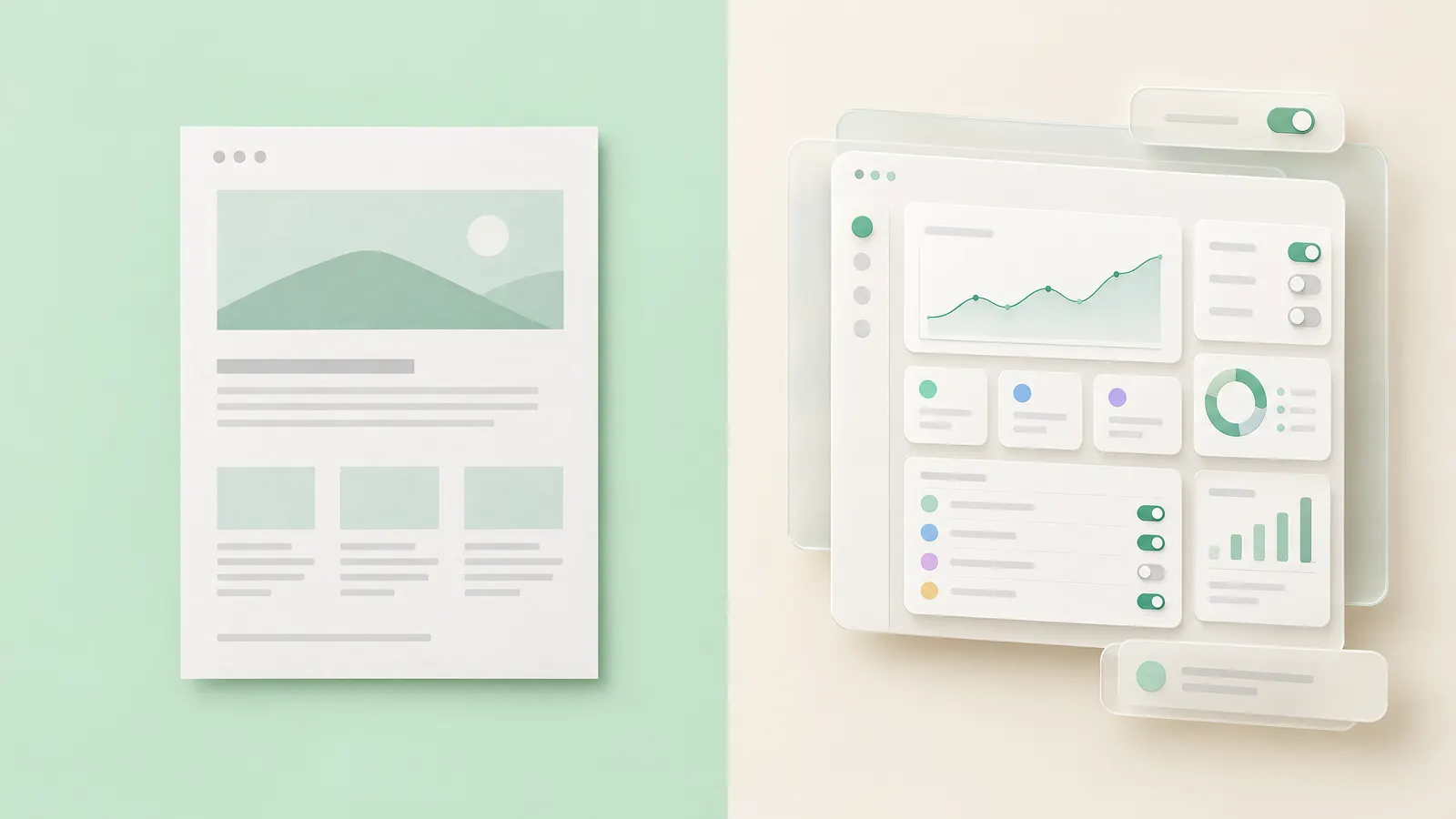
A website mainly presents information, such as your services, prices, case studies and contact details, so people can learn about you and get in touch. A web app lets users do something: log in, manage data, book, pay or work together. Most businesses need a website first, and only need a web app when customers or staff must complete a task that involves their own data.
I get this question almost every week, usually phrased as “we need an app”. When I ask what the app should do, the answer is often “show our services and take enquiries”, which is a website. Other times a client says “just a simple website” and then describes customer logins, invoices and order tracking, which is an application. Getting the label right saves a lot of money.
Key takeaways
- Ask what visitors need to do, not what you want to call the project. Reading and enquiring means website. Logging in and changing data means web app.
- Websites are cheaper to build, easier to rank on Google and simpler to maintain.
- Web apps cost more because of accounts, permissions, databases, security and ongoing support.
- Many businesses end up with both: a public marketing site in front and an app behind a login.
- Start with the website unless you have a clear task that users must complete themselves.
What is the difference between a website and a web app?
The simplest test I use: if a visitor’s experience is the same as everyone else’s, it is a website. If the screen changes based on who they are and what they have saved, it is a web app.
A plumber’s site with services, service areas, reviews and a quote form is a website. A portal where that plumber’s commercial clients log in to see past jobs, approve quotes and download invoices is a web app. Both run in a browser and both are built with similar technology. The difference is in purpose, data and responsibility.
| Website | Web app | |
|---|---|---|
| Main job | Inform, build trust, generate enquiries or sales | Let users complete tasks with their own data |
| Users | Anonymous visitors, mostly | Logged in users with roles and permissions |
| Content | Mostly the same for everyone | Personal to each user |
| Search visibility | Public pages built to rank on Google | Pages behind a login are not meant to rank |
| Typical stack | WordPress, Shopify, static or React site | React or Next.js front end, an API, a database such as Supabase or Firebase |
| Ongoing care | Content updates, plugin and security updates | Monitoring, backups, bug fixes, feature releases, data protection |
It is a spectrum, not two boxes
In real projects the line blurs. I find it more useful to think of five levels, each adding complexity and cost:
- Static website. Fixed pages, very fast, cheap to host. Good for brochures and landing pages.
- Content managed website. WordPress or similar, so your team can edit pages and publish blog posts.
- Website with app features. Booking calendars, calculators, quote builders or an ecommerce checkout. Still a website at heart.
- Progressive web app. A web app that can be installed on a phone’s home screen and work partly offline. MDN’s guide to progressive web apps explains how they work.
- Full web application or SaaS. Accounts, roles, dashboards, billing and integrations.
Ecommerce is a good example of the middle. When we built the Flo Mattress ecommerce website, shoppers browse a catalogue like any website, then move into cart and checkout, which behave more like an application. Platforms like Shopify handle that app layer so the business does not have to build it.
When a website is all you need
For most small and local businesses, the answer is a well built website. That is true if your goals look like this:
- Get found on Google for your services and locations.
- Explain what you do clearly and show proof, such as photos, reviews and past projects.
- Turn visitors into calls, WhatsApp messages, form fills or purchases.
- Let your team update content without a developer.
The local service sites we build for landscaping and tree companies in Western New York are websites in this sense. They are large, with service area pages and structured data, but every visitor sees the same content and the job is to generate leads. Speed matters enormously here, which is why I wrote a separate guide on improving website loading speed for Indian users.
The technology does not change the label either. The Manasvi Pathak personal brand site we built is written in React, the same library many web apps use, yet it is plainly a website: Home, About, Portfolio, Services, Blog, FAQ and Contact pages that every visitor sees the same way. Choosing React made it fast and flexible. It did not make it an application.
Many “app” needs can also be handled by connecting tools to a website. A booking calendar, a CRM that captures every form, automated WhatsApp and email follow ups. That gets you app like behaviour without building and maintaining an application.
When you genuinely need a web app
You have crossed into web app territory when one or more of these is true:
- Customers need their own accounts to see orders, bookings, documents or progress.
- Staff need a tool to manage jobs, inventory or approvals that existing software does not handle well.
- Different people need different permissions, such as admin, manager, field staff and client.
- The product itself is software you plan to sell on subscription.
- Data must flow between several systems automatically, with rules your business defines.
At that point you are commissioning custom software, with everything that implies: data modelling, security, testing and long term maintenance. My explainer on what custom software development really means walks through how those projects run and what drives their cost.
The hybrid most growing businesses end up with
The most common setup I build for companies that need both is simple: a public marketing website on the main domain, and the application on a subdomain or behind a login button.
This split works for three reasons. The marketing site can be optimised purely for speed, search and conversion. The app can be built for logged in users without worrying about rankings. And each can be updated without risking the other.
A note on search engines and JavaScript
If your public pages are built as a JavaScript app, make sure search engines can still read them. Google’s JavaScript SEO basics explain how Google processes JavaScript pages. In practice, I use server rendering or static generation for any page that needs to rank, and keep heavy client side logic inside the logged in area.
How we decide this with clients at Calibre
I start every project with the same short exercise. We list the people who will use the product, and for each one we write down what they need to do. “Read about tree removal pricing” is a website task. “Approve a quote and pay a deposit” is an app task. “Check the status of my order” is an app task unless a simple email update would do.
From that list I recommend the smallest build that covers the real needs. Sometimes that means a WordPress site with a booking integration. Sometimes it means a React marketing site plus a web app with user roles, built through our web app and software development team. Either way, the decision comes from user tasks, not from the word the client used on the first call.
If you are about to request quotes, define this first. It changes everything a vendor will propose, as I explain in how to choose a website development company in India.
Frequently asked questions
Is a web app more expensive than a website?
Usually yes. A web app needs user accounts, permissions, a database, security testing and ongoing monitoring, all of which add build time and maintenance. A website, even a large one, mainly serves the same content to everyone. Phasing helps: launch the website first, then build only the app features users actually need.
Can a website be turned into a web app later?
Yes, and that is often the smart order. Launch a marketing website to win customers, then add a client portal or internal tool once you know exactly what users need. Plan for it by choosing a structure where the app can live on a subdomain or behind a login without rebuilding the public site.
Do I need a mobile app or is a web app enough?
A responsive web app works on every phone through the browser and is often enough to validate an idea. Native mobile apps make sense when you need device features like offline use, background location or frequent push notifications, or when customers expect an app store listing. Many teams start on the web and decide later.
Will a web app rank on Google like a website?
Pages behind a login are not meant to rank, because search engines cannot and should not see private data. If you want search traffic, build public marketing pages that explain the product, rendered so search engines can read them easily. Keep those pages fast and focused, and let them send visitors into the app.
Not sure which side of the line your project sits on? Describe what your users need to do and I will tell you plainly. Book a short call with me or email info@calibreassociates.com.

Written by
Abhijeet Jain
Founder and CEO of Calibre Associates in Lucknow and Managing Director of 716 Lawn Care in Buffalo, New York. I build websites, local SEO, GoHighLevel CRM and AI automation for businesses in India and the USA, and I run the systems I build.